
Barcode BillingScan a medicine and add it to the bill in seconds.
MADE FOR SRI LANKAN PHARMACIES
Sell faster. Know your stock. Stay in control.
SaylanSoft Pharmacy POS brings barcode billing, purchasing, stock, customer credit, cheques and reports together in one easy-to-use system.
- Barcode Ready
- One or More Counters
- Role-based Access
- Thermal Receipts
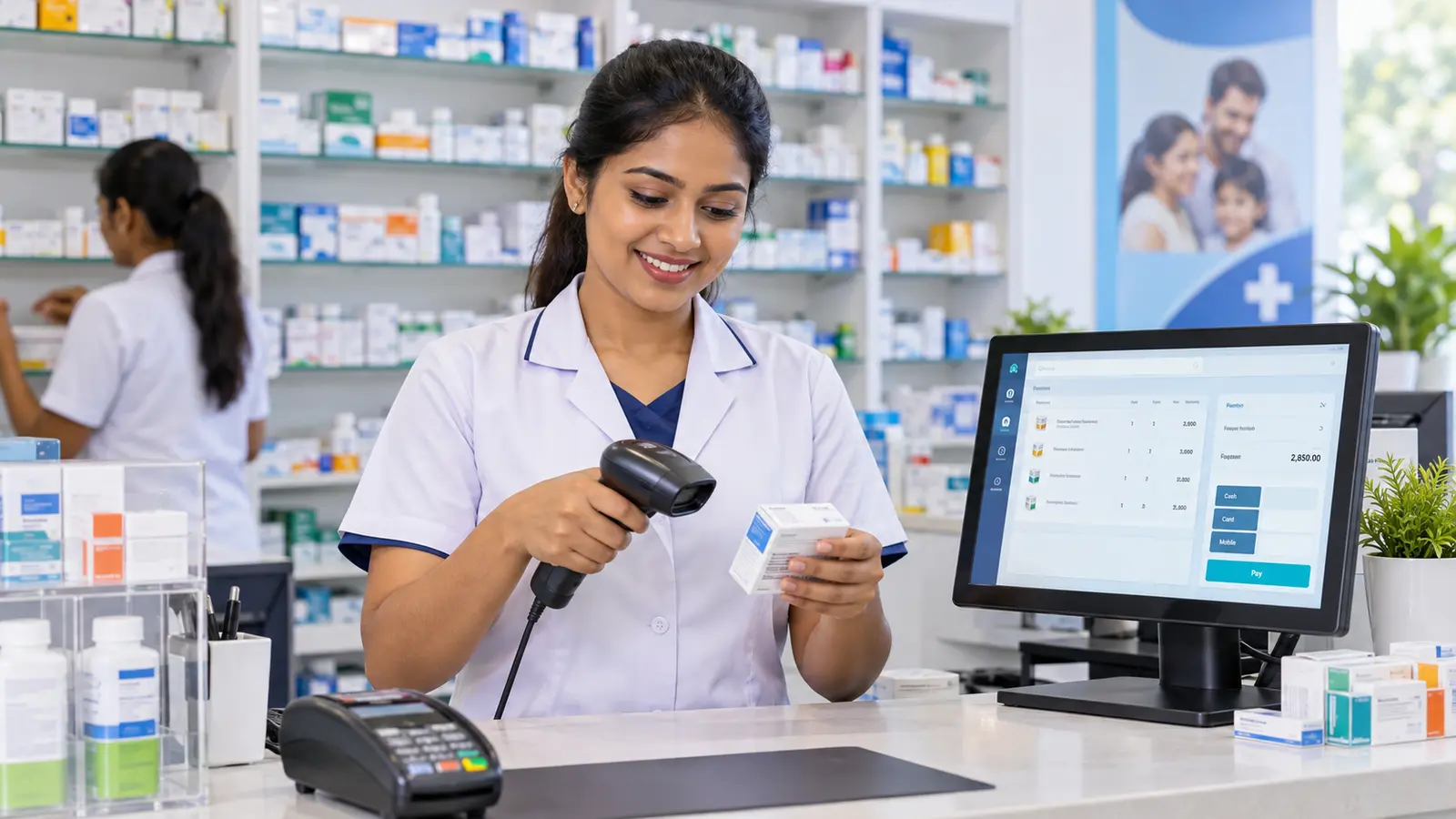
ONE EASY SYSTEM
From receiving medicines to serving the customer.
Keep the counter moving while owners and managers stay informed about stock, purchases, suppliers and business performance.
- Find medicines by barcode, item code or brand name.
- Follow stock through purchases, sales, returns and corrections.
- Accept cash, card, credit and supported split payments.
- Keep customer, doctor, patient and supplier details organised.
Rx
AT THE COUNTERComplete a bill in four clear steps
- 1Scan the barcodeThe medicine and price appear✓
- 2Confirm the quantityApply a discount when needed✓
- 3Choose the payment methodCash, card or credit✓
- 4Print the receiptStock is updated with the sale✓
EVERYTHING YOUR TEAM NEEDS
Your pharmacy work, organised into seven clear areas.
Related tasks stay together, so staff can find what they need without searching through complicated menus.
01
Medicines & Purchasing
Register medicines, record purchases, update prices, manage batches and keep supplier details together.
- Add Medicines
- Update Medicine Details
- Purchase Medicines
- Correct Purchases
- Suppliers
- Medicine Lists
02
Daily Sales
Scan a barcode, complete bills quickly, accept payments, handle returns and reprint invoices.
- Daily Billing
- Credit Payments
- Doctors & Customers
- Sales Returns
- Reprint Invoices
- Medicine Search
- Doctor Invoices
- Daily Card Sales
03
Reports
See sales, profit, stock, expiry dates, reorder needs and outstanding balances clearly.
- Reorder Needs
- Expired Medicines
- Current Stock
- Daily Sales
- Monthly Sales
- Outstanding Balances
- Six-Month Summary
04
Settings & Data Protection
Manage pharmacy details, backups, data transfers and staff access from one place.
- Pharmacy Details
- Backup & Restore
- Bring In / Export Data
- Users & Access
05
Stock & Record Control
Correct stock with a recorded reason, return items to suppliers and keep older records organised.
- Update Medicine Details
- Correct Stock with a Reason
- Return Items to Suppliers
- Archive Old Cheques
- Clear Old Transaction Records
- Review & Organise Patient Records
06
Incoming Cheques
Track customer cheques, due dates, payments and their current status.
- Banks
- New Cheque
- Pending Cheques
- Cleared / Returned
- Status Reports
- Cheque Checks
- Payment History
07
Outgoing Cheques
Manage supplier cheques, due dates and the invoices they settle.
- New Cheque
- Pending Cheques
- Cleared Cheques
- Returned Cheques
- Match with Invoices
- Checks & Reports
- Due Cheques
- Banks
FOR THE BUSY COUNTER
A clear path from medicine search to printed receipt.
Serve customers quickly with barcode reading, handy shortcuts and simple payment choices.
- 01Find the medicine
Use the barcode, item code or brand name.
- 02Confirm the bill
Check the quantity, price and discount.
- 03Choose payment
Cash, card, credit or a supported split payment.
- 04Give the receipt
Complete the sale and print the thermal receipt.
Safe across multiple counters: Even when two counters finish sales at the same moment, each completed sale receives its own invoice number.
KNOW YOUR BUSINESS
Open the report you need instead of rebuilding figures by hand.
Use clear reports for sales, profit, stock, outstanding balances, suppliers and cheques when making daily decisions.
Sales, Stock & Outstanding Balances10 reports
- Reorder Needs
- Expired Medicines
- Current Stock
- Daily Sales
- Daily Profit & Loss
- Daily Collections
- Customer Balances
- Monthly Sales
- Pending Balances
- Six-Month Sales Summary
Counter & Payment Reports2 reports
- Doctor Invoice Report
- Daily Card Collections
Medicines, Purchases & Suppliers5 reports
- Medicines by Supplier
- Complete Medicine List A–Z
- Purchase Invoice
- Corrected Purchases
- Supplier List
Incoming Cheques8 reports
- Cleared Cheques
- Returned Cheques
- Cheque & Invoice Status
- Payment Checks
- Returned Cheques with Payments
- Invoices Linked Twice
- Status Differences
- Complete Cheque Review
Outgoing Cheques5 reports
- Cleared Cheques
- Returned Cheques
- Due Cheques
- Cheque Register
- Cheques Matched with Invoices
READY TO GROW WITH YOU
Keep every counter working together.
Start with one computer, or let several computers in the pharmacy work with the same sales and stock information.
Multiple Billing Counters
Serve customers from separate computers across the pharmacy.
Safe Invoice Numbers
Sales completed at the same time still receive separate invoice numbers.
Shared Stock View
Purchases, sales, returns and corrections stay visible to the team.
SAVE TIME AT THE KEYBOARD
Work faster without reaching for the mouse.
Easy-to-remember shortcuts open common screens and speed up everyday billing.
FROM ANY SCREEN
Menu & Navigation
Alt + MMedicines
Alt + SDaily Sales
Alt + RReports
Alt + USettings & Data Protection
Alt + TStock & Record Control
Alt + I / OIncoming / Outgoing Cheques
Alt + ← / →Move Between Tabs
Esc / Ctrl + WClose the Current Screen
AT THE SALES COUNTER
Daily Sales
EnterAdd the Item to the Bill
F2Edit the Selected Item
DeleteRemove the Selected Item
Ctrl + ZUndo the Last Item
Ctrl + SComplete the Sale
Ctrl + EnterComplete the Sale
Left AltChange the Discount Type
Left CtrlChange the Payment Method
CONTROL WITH CONFIDENCE
Practical safeguards for your stock, staff and business information.
Barcode Billing
Use a barcode reader to find a medicine and add it to the bill quickly.
Sell Older Stock First
When needed, reduce stock from older purchase batches first.
Correct Stock Safely
Record a reason when increasing, reducing or correcting opening stock.
Automatic Backups
Choose a daily backup time while the POS is open, and use Google Drive backup when connected.
Role-based Access
Give cashiers, managers and administrators access suited to their responsibilities.
Your Pharmacy Identity
Show your pharmacy name, contact details and logo on screens and documents.
BUILT AROUND YOUR TEAM
Give each responsibility a clear place to work.
Help staff reach the tasks they use most while the owner keeps important controls in the right hands.
Cashiers
Barcode billing, customer search, payments and invoice reprints.
Stock & Purchase Staff
Purchases, batches, suppliers, expiry dates and reorder needs.
Owners & Managers
Reports, stock corrections, credit, cheques, staff access and backups.
FREQUENTLY ASKED QUESTIONS
Before you choose your pharmacy POS.
Can it be used on more than one computer?
Yes. Use it on one computer, or let several Windows computers in the pharmacy work with the same sales and stock information.
Does it support barcode billing and thermal receipts?
Yes. Scan a barcode or search for a medicine, complete the bill and print a thermal receipt. Saved invoices can also be reprinted.
How is a wrong stock value corrected?
Staff with suitable access can record a reason and increase or reduce stock. There is also a separate correction for an opening-stock entry made incorrectly.
Can it show expiring and low-stock medicines?
Yes. Separate reports show expired medicines, reorder needs and current stock.
Does it manage customer credit and cheques?
Yes. It includes customer credit payments and outstanding-balance reports, plus separate areas for incoming and outgoing cheques.
Can it back up automatically?
Yes. Choose a daily backup time while the POS is open. Manual backup, restore and Google Drive backup when connected are also available.
Can my existing medicine or supplier information be brought in?
Tools are available to bring information in and take it out. We can review your current file format and recommend the safest approach.
SEE IT FOR YOUR PHARMACY
See how SaylanSoft Pharmacy POS fits your counter.
Tell us how many counters you use and how you currently handle billing and stock. We will show you the features that matter most.